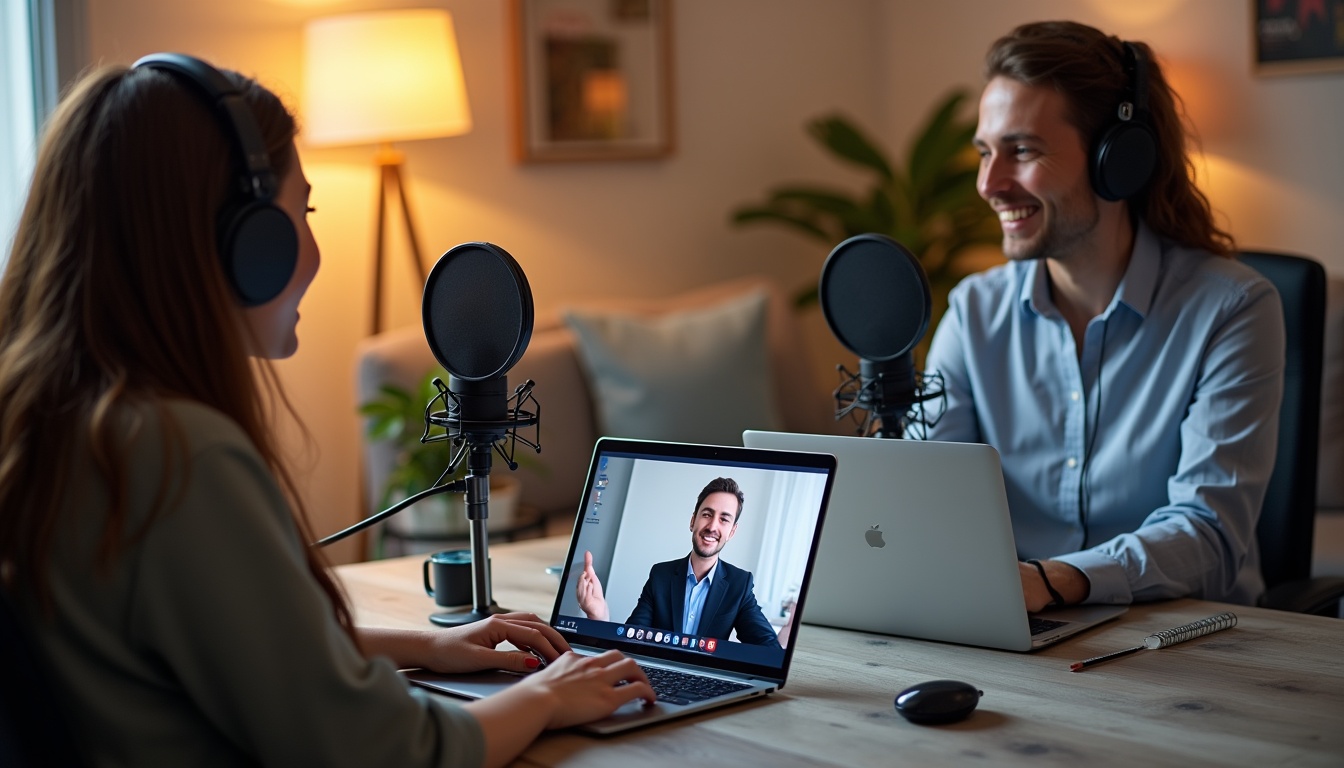
Introduction
The landscape of digital content creation is constantly evolving, with podcasting emerging as a powerful medium for storytelling, education, and business branding. According to Edison Research, over 90 million Americans listen to a podcast each month, showcasing a 175% growth over the last five years up to 2025. The surge in podcast popularity has pivoted the focus towards technology that supports high-quality remote recording—a crucial factor in today’s predominantly remote and hybrid work cultures.
In the realm of podcasting tools, Zoom has become an invaluable ally. Originally a video conferencing tool, Zoom has adapted features that make it suitable for podcasting, particularly with its high-quality audio and video capabilities, ease of use, and accessibility. Its significance is magnified when it comes to remote team collaborations, where geographical distance can pose a challenge to content quality and cohesiveness. Recognizing the importance of pristine audio quality ensures that the content delivered is not just heard but also resonates well with the audience.
Understanding Zoom for Podcasting
Zoom: Defined by its versatility, Zoom is a popular choice among podcasters, especially those coordinating with remote teams. It offers high-definition audio and video recording, simplicity in setup, and the ability to record each participant on separate audio tracks, a feature crucial for post-recording edits.
Comparison: When compared to other podcast recording tools like Skype or Google Meet, Zoom stands out for its reliability in connectivity and minimal audio latency. This comparison becomes especially relevant in situations involving multiple participants from various locations, wherein Zoom’s robust framework supports a seamless recording experience without the frequent drops or quality degradation experienced in other tools.
Benefits for Remote Teams: The true strength of Zoom lies in its facilitation of remote collaborations. Remote teams can benefit from features like screen sharing, virtual backgrounds, and integrated scheduling. These features not only make the recording process efficient but also enhance the engagement factor, which is paramount in podcasting. The ability to visually interact during sessions helps create a more dynamic atmosphere, allowing for spontaneous discussions that can lead to richer content delivery.
Setting Up Your Zoom for Podcasting
Setup Steps: Initiating a podcast via Zoom begins with a basic setup:
1. Ensure all participants have installed the latest version of Zoom.
2. Set up a meeting with all relevant participants.
3. Adjust the settings to enable separate audio tracks for each participant to facilitate easier editing later. This can be done by navigating to the audio settings and selecting the option to record separate audio files for each participant.
Equipment Recommendations: Pairing Zoom with high-quality microphones and headphones can significantly enhance recording quality. Brands like Audio-Technica and Shure offer microphones that bring studio-level audio clarity, while headphones from Sennheiser or Bose provide clear audio playback without external noise interference. Investing in these tools ensures that each participant’s voice is captured with clarity, enhancing the overall listening experience for your audience.
Optimal Settings: Adjusting audio and video settings is crucial:
– Enable ‘High Fidelity Music Mode’ for better sound quality, which is particularly valuable for podcasts that include musical elements or require high-definition audio.
– Use wired internet connections to minimize latency, as wireless connections can introduce lag or dropouts that may ruin the listening experience.
– Ensure proper lighting if video is being recorded; natural light sources or soft box lights can enhance video quality, creating a more professional appearance for video podcasts.
Best Practices for Recording Podcasts on Zoom
Preparing Your Team: Preparation is key to a successful recording. Ensure all participants have tested their equipment prior to the recording session. Provide a clear agenda and script to minimize downtime and keep the session focused. This proactive strategy not only sets the tone but also fosters a sense of professionalism among team members.
Test Runs: Conduct a dry run before the actual recording to troubleshoot potential issues with audio levels or internet stability. This is especially important to prevent disruptions during the podcast, which can impact listener experience. A test run allows participants to become familiar with the format and technical aspects of the session, thus increasing confidence levels.
Maintaining Audio Quality: Maintaining quality across all recordings includes:
– Ensuring all participants use a stable and fast internet connection is crucial as fluctuating connections can lead to audio disruptions.
– Instructing participants to record in quiet environments minimizes background noise.
– Using tools like Krisp for noise cancellation can enhance audio quality further by filtering out ambient sounds.
Editing and Finalizing Your Podcast
Software Recommendations: After recording, editing is the next crucial step. Software like Adobe Audition and Audacity offer comprehensive tools for editing Zoom recordings, from noise reduction filters to equalization. These platforms provide a user-friendly interface that makes it easy for both beginners and experienced editors to enhance their podcast.
Editing Tips: Here are several tips to enhance audio quality post-recording:
– Apply noise reduction filters to minimize background noise; this is key for ensuring that conversation flows naturally and listener engagement remains high.
– Adjust equalization settings to ensure voice clarity; tweaking these settings allows each speaker’s voice to be emphasized effectively without overpowering the others.
– Balance audio levels among all speakers to ensure uniformity; this can be done by adjusting gain levels individually during the editing process, ensuring that all voices are heard clearly throughout the episode.
Finalizing for Distribution: Once editing is complete, finalizing the podcast involves encoding it into formats like MP3 or AAC for distribution platforms such as Spotify or Apple Podcasts. Ensure the metadata is accurately filled to aid in podcast discoverability. This includes titling episodes, providing detailed descriptions, and including relevant keywords to improve visibility in searches.
Case Studies and Examples
Examining successful podcasts that use Zoom effectively can provide real-world insights into best practices. For instance, the popular podcast “How I Built This” frequently features remote interviews recorded via Zoom. The host engages with guests from diverse locations, and the production team emphasizes the use of quality microphones and good lighting, showcasing how these elements contribute to the overall sound and visual quality of the broadcast.
Moreover, a study published by Podcast Insights highlights that 71% of podcasters who utilized video conferencing tools reported improved listener engagement and satisfaction with their content. This statistic underscores the impact of using reliable platforms like Zoom in facilitating high-quality podcast production.
As Zoom continues to evolve, its updates frequently include new features that cater specifically to podcasters. Enhanced audio quality options and the ability to integrate with other podcasting software will keep Zoom as a leading choice among creatives looking to produce professional-grade audio content remotely.
With these comprehensive details, users are equipped to navigate Zoom for podcasting effectively, whether setting up, recording, editing, or distributing, ensuring a professional output every time. While the technical aspects are important, the creativity and authenticity behind each podcast episode play a crucial role in resonating with audiences.
To maintain the momentum, continuous learning and adaptation to emerging technologies and trends in podcasting will be essential for any content creator looking to thrive in this dynamic environment. Engaging with communities, attending workshops, and constantly seeking feedback can also serve as valuable tools for growth, helping to refine skills and expand the reach of their podcasts.
Additional Features and Functions of Zoom Podcasting
Zoom offers robust features that significantly enhance podcasting experiences, especially for interviews and collaborative content creation. One standout feature is Zoom’s cloud recording, which allows users to automatically save their recordings securely online, facilitating easy access and sharing among remote teams. This capability boosts productivity and safeguards recordings against data loss, ensuring that all content created is preserved for future use.
For those conducting interviews over Zoom, the platform guarantees high-quality audio and video that makes long-distance interviews appear seamless and professional. The clarity of sound and video transmission is crucial, as it helps maintain listener engagement. An added advantage is the ease with which these interviews can be set up—just a few clicks and you are ready to engage with guests across the globe.
Integrating additional tools with Zoom can further enhance the podcasting experience. Tools like audio enhancement software and advanced analytics plugins can provide deeper insights into podcast performance and listener engagement, which are crucial for growth and monetization strategies. For instance, by leveraging analytics tools, podcasters can understand audience demographics, listening habits, and preferences, enabling them to tailor content more effectively. This granular data can lead to more informed decisions about content direction and marketing efforts.
Monetizing Your Podcast
Monetizing a podcast can transform a passion project into a lucrative venture. Remote teams can utilize various strategies to generate income from their podcasts. Direct sponsorships, where businesses pay to be mentioned or have their products reviewed during the podcast, remain a powerful revenue channel. In fact, recent research indicates that podcast advertising revenues in the United States alone are projected to surpass $2 billion annually by 2024, reflecting the growing importance of podcasts as a medium for marketing.
Affiliate marketing is another viable strategy. Podcasts can earn commissions by promoting products or services and directing listeners to affiliate links. This not only provides a revenue stream but also aligns the podcast content with products that resonate with the audience’s interests. Additionally, offering premium content such as exclusive episodes or ad-free listening through subscription models like Patreon can attract devoted listeners willing to pay for an enhanced podcast experience.
Furthermore, crowdfunding platforms can serve as a viable approach to generating income. Creators can solicit financial support from their audience directly through platforms designed for artists and content creators. This not only helps cover production costs but also increases audience investment in the podcast’s success, fostering a community of supporters.
Promoting Your Podcast
Marketing strategies play a pivotal role in the success of a podcast. By implementing a mix of social media marketing, email campaigns, and content synergy, podcasters can effectively reach a broader audience. Platforms like Instagram, Twitter, and TikTok are crucial for maximizing engagement, particularly with younger demographics who consume content in various formats. Identifying where the target audience spends their time online can significantly enhance promotional efforts.
Email marketing remains a critical tool for building and maintaining an audience. By offering subscribers regular updates, episode summaries, and exclusive content, podcasters can create a loyal listener base. Recent studies show that email marketing for digital media platforms boasts an average open rate of 18%, making it one of the most effective promotional tools available today. Utilizing engaging subject lines and curated content can enhance the effectiveness of email campaigns, ensuring listeners stay informed and interested.
Establishing partnerships with other podcasters or content creators can also amplify reach. Collaborations often involve guest appearances, shared promotions, or combined episodes, which help tap into each other’s audiences. By cross-promoting, podcasters can introduce their content to a wider audience who may be interested in their unique perspectives or styles. This synergy can lead to increased downloads and wider recognition within the podcasting community.
Additionally, participating in podcast directories and networking within various podcasting community forums can enhance visibility. These platforms not only provide a way for podcasters to promote their shows but also create opportunities for learning best practices and discovering new trends in the industry.
Conclusion
This guide has explored numerous strategies and tools provided by Zoom that can help enhance the podcasting experience, especially for remote teams. From setting up and recording with Zoom to monetizing and promoting the final product, each aspect is crucial for the success of a podcast. With the right approach and use of technology, anyone can produce a professional-quality podcast remotely.
The future of podcasting continues to look promising, with more people tuning in every year. Utilizing platforms like Zoom allows podcasters to produce engaging, high-quality content that can capture and grow an audience worldwide. Creators should focus on not just crafting compelling narratives but also on understanding the importance of strategic marketing and innovative monetization methods. Keep innovating and adapting to trends within the podcasting landscape, and your podcast will thrive.
Frequently Asked Questions
What equipment do I need to record a podcast on Zoom?
To record a podcast on Zoom effectively, you will need a good quality microphone, headphones for monitoring, a stable internet connection, and a quiet room to ensure clean, crisp audio quality. Investing in a pop filter can also help eliminate unwanted sounds during recording.
How do I improve audio quality on Zoom?
Improving audio quality on Zoom can be achieved by using a high-quality microphone, ensuring a stable internet connection, reducing background noise, and making use of Zoom’s audio enhancement features. Additionally, performing a sound check before starting the recording can help identify any potential issues.
Can I record a podcast on Zoom for free?
Yes, Zoom allows you to record podcasts for free with its basic plan, which includes unlimited one-on-one meetings and group sessions up to 40 minutes. This makes it an accessible option for beginners looking to start their podcasting journey without significant upfront investment.
What are the best practices for team collaboration in Zoom recordings?
Best practices for team collaboration in Zoom recordings include scheduling rehearsals, using clear and concise communication, ensuring all participants have the proper set-up and equipment, and utilizing Zoom’s collaboration features like screen sharing and chat. These steps help streamline the recording process and enhance overall productivity.
How do I edit Zoom recordings for my podcast?
Editing Zoom recordings for your podcast can be done using popular audio editing software like Audacity, Listen2it or Adobe Audition. Key editing tasks include trimming unnecessary parts, adjusting audio levels, and adding effects or music to enhance the final product. It is advisable to listen to the full recording after edits to ensure a polished audio experience.
Leave a Reply