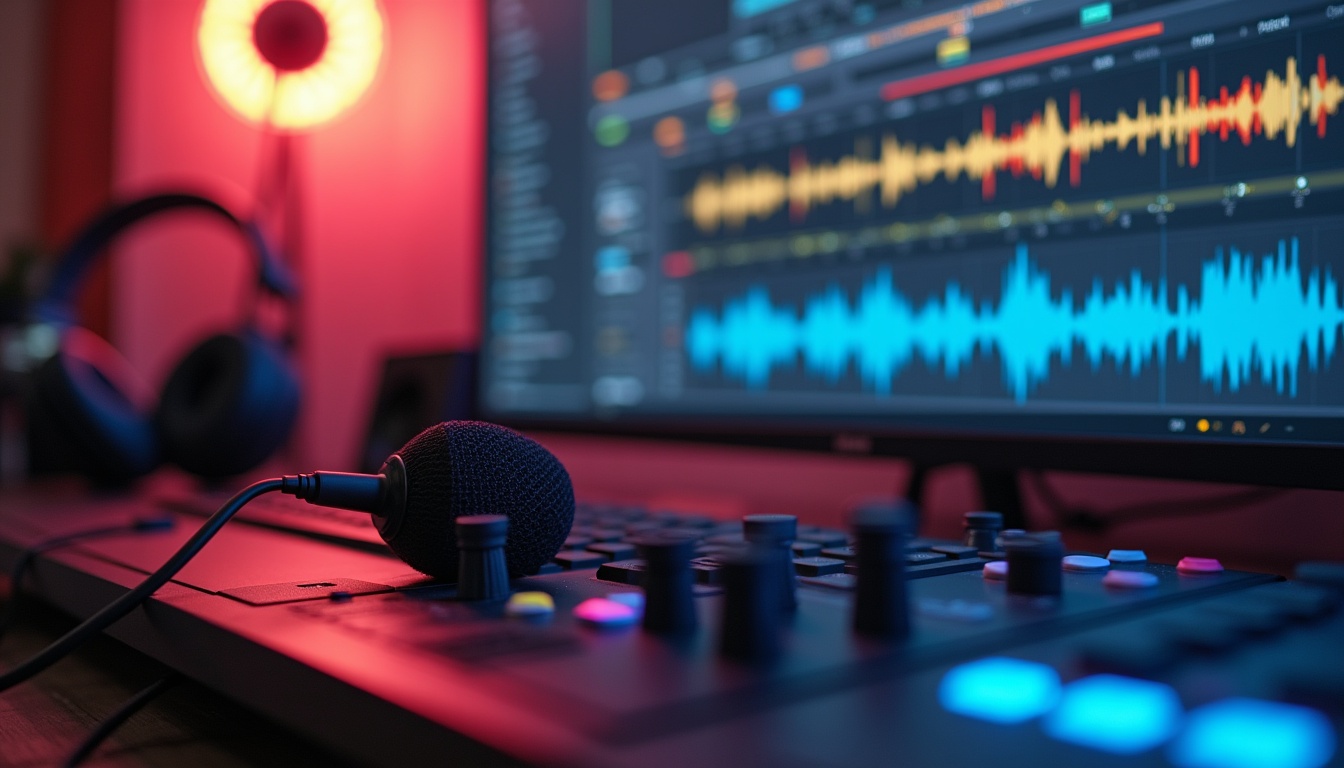
Introduction to Audio Editing
Audio editing is an essential process for enhancing and perfecting sound recordings, playing a crucial role across various media, such as films, podcasts, music, and broadcasting. With the rapid advancement of digital audio technology, the tools and methods for audio editing have expanded, enabling professionals and amateurs alike to achieve high-quality soundscapes. The influence of audio quality on user experience cannot be overstated; it directly affects audience engagement and satisfaction. According to a recent survey, 78% of viewers have reportedly stopped watching a video due to poor audio quality, highlighting the critical need for well-edited audio in media production.
Mistake 1: Poorly Balanced Audio Levels
Balancing audio levels is fundamental in audio editing, ensuring that all elements of the sound are harmonious and that no part is disproportionately loud or too quiet. Proper mixing can prevent parts of the audio from being inaudible or overpoweringly loud, which can distract or annoy listeners.
Tips to Achieve Proper Levels:
- Utilize loudness meters to monitor the levels of your tracks consistently.
- Apply normalization to adjust the volume of tracks to a standard level.
- Use compression moderately to reduce the dynamic range of loud sounds.
Tools to Assist in Leveling Audio:
Several digital audio workstations (DAW) offer built-in tools to help balance audio levels. Software like Adobe Audition and Audacity provide essential features such as automated volume leveling, which can significantly simplify achieving well-balanced audio.
Mistake 2: Using Inappropriate File Formats
Understanding the different audio file formats, such as WAV, MP3, and FLAC, is crucial in selecting the right type for your needs. Each format has its strengths and weaknesses concerning sound quality and file size. Using inappropriate file formats can lead to issues like loss of quality or incompatibility with playback systems.
Consequences of Using Wrong Formats:
Using a lower-quality file format like MP3 for professional music production can result in audible losses of clarity, while unnecessarily large formats may waste storage space and slow down project workflows. For instance, a project intended for high-definition playback should utilize a lossless format like WAV instead of a compressed format like MP3, which has a bitrate that compromises audio fidelity.
How to Choose the Right Format:
Consider the final use of the audio. High-fidelity formats like WAV are excellent for editing and production phases, while formats like AAC provide a good balance between quality and size for online distribution. Moreover, it’s important to consider the end-user experience; podcasts might prioritize smaller file sizes for easier downloads, while music intended for streaming might emphasize quality.
Mistake 3: Ignoring Background Noise
Background noise such as hums, buzzes, and ambient sound can significantly detract from the clarity of audio recordings. Identifying and reducing background noise is a critical step in the editing process.
Techniques for Noise Reduction:
- Use noise reduction filters to isolate and remove unwanted sounds.
- Consider recording in controlled environments to minimize noise.
- Apply gate effects to silence sections where a speaker is not talking.
Software Options for Cleaning Audio:
Software like iZotope RX Series and Waves Z-Noise can offer advanced noise reduction capabilities, helping to clean up recordings by targeting various types of background noises. Furthermore, it’s advisable to perform a thorough check of the audio before exporting, ensuring that any residual noise does not remain.
Mistake 4: Not Effectively EQing
Equalization (EQing) is a technique used to adjust the balance between frequency components of an audio signal. Effective EQing can enhance audio quality by highlighting or diminishing specific frequencies, thereby shaping the sound to fit the desired outcome.
Common EQ Mistakes to Avoid:
Avoid over-EQing by making extreme boosts or cuts, which can lead to artificial-sounding audio. Additionally, neglecting to EQ according to different listening environments can result in a mix that sounds good only in specific situations. For example, a mix that sounds stellar in a studio might fall flat in a car or outdoor setting.
Best Practices for EQ Settings:
Start with subtle adjustments and listen critically. Use high-pass filters to eliminate unnecessary low frequencies that can muddy the mix. Additionally, pay attention to how various frequencies interact. For instance, reducing frequencies around 250 Hz can clear up muddiness, while boosting around 3 kHz can enhance vocal clarity. Always consider the acoustic environment and how it might affect the perception of your EQ choices.
Mistake 5: Failing to Export in the Correct Settings
The final step in audio editing often involves exporting the finished audio into a format for distribution or broadcast. Exporting audio with incorrect settings can degrade quality or lead to files that are incompatible with target playback systems.
Examples of Common Mistakes in Exporting:
Exporting a high-resolution audio project as a low-bitrate MP3 file can lead to significant quality loss. Additionally, ignoring metadata settings during export can result in files that lack necessary information like artist name, track title, or copyright data necessary for proper recognition and rights management. Furthermore, not aligning the bitrate with the intended playback environment can lead to errors in sound quality perception.
Recommendations for Optimal Export Settings:
Ensure the sample rate and bit depth are set according to the distribution medium. For instance, CD quality audio requires a 44.1 kHz sample rate and a 16-bit depth, while for high-resolution formats, you may opt for 24-bit audio at 96 kHz. Consider for online streaming, utilize higher compression settings to strike a balance between quality and file size, optimizing the audio files for quicker loading times without compromising listener experience.
Mistake 6: Overlooking the Importance of Metadata
Metadata comprises the information embedded within audio files, such as artist names, track titles, and genres, that helps in organizing and recognizing audio tracks. Neglecting metadata can affect everything from searchability to the listener’s experience.
Significance of Metadata:
In the digital age, where users often search for music or podcasts by specific criteria, having proper metadata allows platforms to accurately categorize and recommend content to listeners. For instance, podcasts with missing or incorrect metadata may not appear in searches, significantly reducing potential audience reach.
Best Practices for Metadata Management:
Always include essential metadata when exporting audio files. This includes the title, artist, genre, the album title, and any relevant copyright information. Many DAWs come with metadata management tools that allow easy entry and exporting of metadata alongside your audio files.
Mistake 7: Neglecting the Final Review Process
Ignoring the final review of the edited audio can lead to overlooking errors that could degrade sound quality, such as missed edits, pops, or glitches. It’s essential to invest time into a thorough review to ensure that the audio meets a professional standard.
Strategies for Effective Final Review:
- Listen to the edited audio on multiple playback devices to ascertain sound quality across platforms.
- Check for any inconsistencies in volume or quality that might only manifest in different environments.
- Utilize the help of other listeners to get feedback on the audio, as fresh ears can catch issues missed during editing.
Importance of Listening Context:
When performing the final review, consider how the audio will be consumed—whether through headphones, speakers, or in noisy environments like cars. Each playback scenario can highlight different audio aspects, necessitating careful consideration during the final editing stages.
Mistake 8: Disregarding the Importance of Compression
Compression serves to reduce the dynamic range of an audio signal, making quieter sounds louder and louder sounds quieter. While compression can enhance audio quality, over-compressing or incorrect usage can lead to loss of audio detail and a fatigued listening experience.
Understanding Compression Levels:
Different projects will require different levels and types of compression. For instance, music tracks might benefit from heavier compression to achieve a polished sound, while dialogue-based audio like podcasts may require lighter compression to retain natural vocal dynamics.
Tips for Effective Compression:
- Use a ratio that allows for smoother transitions without making the audio sound squashed.
- Set the attack and release times to suit the audio content, with slower attack times allowing transients to pass through.
- Regularly compare compressed audio with the original to ensure quality is maintained.
Mistake 9: Not Taking Advantage of Automation
Automation in audio editing allows for dynamic adjustments throughout a track, providing greater control over specific elements such as volume and effects. Many editors overlook the potential of automation to enhance their projects and simplify their workflow.
Benefits of Automation:
Automation can help achieve smooth transitions and enhance the overall listening experience. For example, gradually increasing the volume of a guitar solo as drums fade out can create a more engaging mix. Moreover, automating effects can enhance sound design in creative projects.
Best Practices for Using Automation:
Start with small adjustments in key spots and listen critically to the impact of these changes. Test the automation on various playback systems to ensure it translates well across platforms and maintains the intended effect throughout the piece.
Mistake 10: Skipping Proper Backup Procedures
Failing to back up audio files and projects can lead to catastrophic losses due to hardware failures or accidental deletions. Establishing a reliable backup protocol is crucial for anyone involved in audio editing.
Strategies for Effective Backup:
Utilize cloud storage solutions alongside local backups to create redundancy. It’s recommended to periodically save different versions of the project file, allowing for the option to return to earlier edits, which can be invaluable when reflecting on project development and ensuring creative freedom without risk.
Best Backup Tools:
Consider services like Google Drive or Dropbox for easy access and redundancy, while a reliable external hard drive can serve as an effective method for local backup, providing additional security for critical audio projects.
Strategies to Improve Audio Editing Skills
Mastering audio editing is an essential skill for professionals in music, film, television, and new media. To elevate your audio editing abilities, prioritizing the acquisition of sophisticated software is vital. Adobe Audition, Pro Tools, and Audacity rank among the top tools recommended by industry experts. Each offers unique features that cater to different editing needs, from multi-track editing to sophisticated sound effects.
Moreover, engaging with educational content can significantly enhance your skills. Many online platforms such as Coursera, Udemy, and Skillshare provide courses that cover the basics to advanced techniques in audio editing. Involvement in these courses ensures that you not only learn the technical skills but also understand the conceptual underpinnings of effective audio editing.
Mastering Your Audio
Audio mastering is a critical final step in the production process that ensures the sound quality meets professional standards. It involves various enhancement techniques and adapting the track for playback across all media formats and devices. A survey conducted in early 2026 by Audiophile Inc., showed that tracks mastered properly saw a 20% increase in listener retention. This statistic underscores the importance of mastering in the audio post-production process.
Effective mastering involves critical listening and software proficiency. Mastering software like iZotope Ozone offers tools that provide precision in controlling dynamics and achieving spectral balance. For instance, real-world case studies, such as the mastering process of the 2025 Grammy-winning album, highlight how subtle adjustments in mastering can enhance clarity and depth, distinguishing a good audio track from a great one.
In practical terms, mastering generally includes:
- Loudness Optimization: Balancing the overall volume to ensure it competes effectively with other commercial releases.
- Dynamic Range Control: Adjusting the range between the loudest and softest parts of the audio, providing a more immersive experience.
- Equalization: Fine-tuning frequency responses to enhance the audio’s character and eliminate any problematic frequencies.
- Compression: Applying compression to achieve consistency, preventing sudden peaks and dips in sound.
Common Tools to Help Avoid Mistakes
The right set of tools can significantly minimize common audio editing errors. Key tools include:
- Spectral Analyzers: Help in visualizing frequency distribution and identifying issues that are not easily heard, aiding in better audio clarity.
- Compressors: Essential for maintaining consistent audio levels by reducing dynamic range where necessary, ensuring the audio remains engaging. For example, using a compressor on dynamic vocal tracks can help maintain intelligibility and presence.
- Automated Mixing Tools: Tools like Neutron from iZotope assist in mixing tracks by suggesting adjustments that enhance sound quality through machine learning, allowing for a more efficient workflow.
- Noise Reduction Plugins: Effective at eliminating unwanted background noise, making the final product more polished.
Utilizing these tools reduces the risk of errors such as imbalanced audio levels or inadequate EQing, ensuring a polished final product. For instance, employing a spectral analyzer can reveal issues with reverb or resonance in a mix, which, if left unaddressed, may lead to a cluttered final output.
Continuous Learning and Improvement
In audio editing, ongoing improvement is facilitated by regular feedback and self-analysis. Participating in community forums and professional networks like the Audio Engineering Society can provide critiques that highlight areas for improvement and promote skill enhancement. Engaging with peers who share similar interests can facilitate knowledge exchange and inspire creativity in audio projects.
Additionally, real-time analytics tools such as Soundlytics offer insights into audio quality and listener engagement, providing data-driven feedback that helps refine editing techniques. The insights gained from these tools can influence your editing choices, leading to higher engagement and better listener retention. This constant loop of feedback and learning is crucial for staying updated with the evolving audio technology landscape.
One effective approach to continuous improvement is participating in audio editing challenges or competitions. These events not only provide practical experience but also expose you to diverse styles and techniques utilized by other professionals in the industry.
FAQs
What are the biggest audio editing mistakes to avoid?
Poorly balanced audio levels, inappropriate file formats, ignoring background noise, ineffective EQing, and incorrect export settings are critical to avoid to ensure high-quality output. For example, failing to address background noise can distract the listener and detract from the overall quality of the audio.
How can I improve my audio editing skills?
Invest in professional audio editing software, participate in specialized courses, and engage actively with the audio editing community for ongoing feedback and support. Regular practice and experimentation with different software tools can also build your proficiency over time.
Why is mastering important in audio editing?
Mastering ensures your audio meets industry standards and is optimized for all playback devices, essentially enhancing the overall listenability and professional appeal of your work. Proper mastering sets the final stage of audio production and can significantly impact how your work is perceived by the audience.
How do I choose the right audio file format?
Choose formats based on the application: WAV or AIFF for professional editing and mastering to retain high quality, and MP3 or AAC for distribution and streaming to ensure compatibility and quality. Understanding the distinctions between these formats is crucial for achieving the desired audio fidelity during different stages of production.
What tools can help me with audio editing?
Common essential tools include spectral analyzers, compressors, EQs, and automated mixing aids, each playing a unique role in enhancing the quality and efficiency of audio editing. For example, an EQ can sculpt the tonal quality of an audio track by boosting or cutting specific frequencies appropriately.
Conclusion
Understanding and avoiding common audio editing mistakes are foundational to producing high-quality audio. This comprehensive guide outlines these mishaps while providing strategic advice on improving your audio editing skills, mastering the audio, choosing the right tools, and fostering an environment of continuous learning. With these strategies, audio professionals can ensure their work not only meets but exceeds the standards expected in the competitive multimedia landscape. Regular practice and willingness to learn from feedback are the cornerstones of success in the dynamic field of audio editing.
Leave a Reply