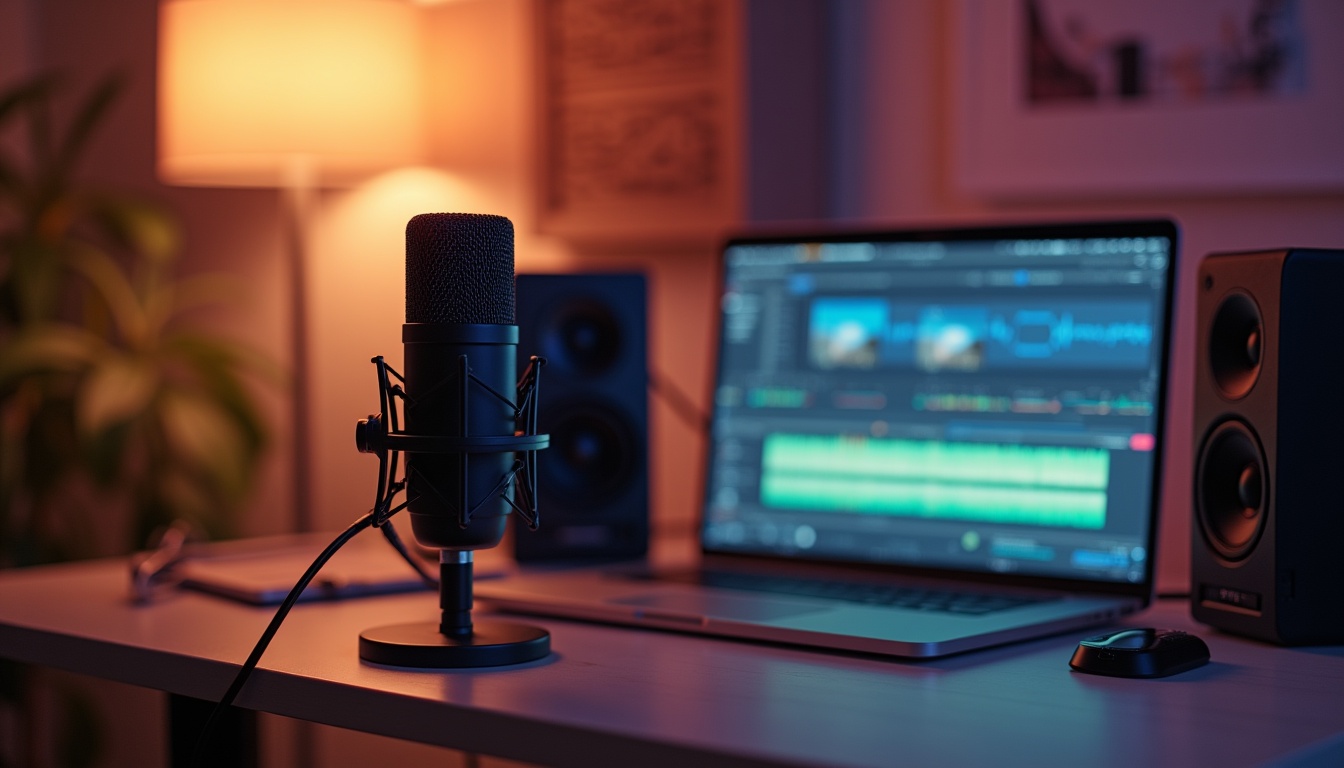
Understanding Background Noise and Its Impact on YouTube Voiceovers
As the digital landscape expands, YouTube has become a pivotal platform for content creators. With over 2 billion logged-in monthly users, the competition to captivate and retain viewer attention is fierce. Compelling visuals aside, the clarity of voiceovers in videos significantly influences viewer engagement and retention. Therefore, understanding and eliminating background noise is crucial for any creator aiming to produce professional-quality videos.
In this detailed guide, we will explore a variety of methods—both free and paid—to remove background noise from your YouTube voiceovers. By enhancing audio clarity, you aim not just to keep your audience engaged but also to elevate your content’s overall quality.
What is Background Noise?
Background noise refers to any unwanted ambient sounds that interfere with the primary audio being recorded. Common sources range from environmental sounds like traffic, wind, and chatter, to in-studio disturbances such as air conditioning hums or electronic interference.
The presence of such noises in a recording can diminish the listener’s experience, making it difficult to focus on the intended audio. This interference can lead to reduced comprehension and listener fatigue, affecting the overall effectiveness and engagement of your YouTube content.
Why Removing Background Noise is Critical for YouTube Creators
Audio quality can be as influential as video quality when it comes to viewer retention on YouTube. A survey conducted in early 2026 highlighted that videos with high-quality audio retain viewership 5 times longer than those with poor audio settings. Clear audio delivers the message effectively and ensures that communication is seamless, which is essential in an educational or professionally-oriented content space.
Removing background noise allows creators to deliver their content in the cleanest, most engaging way possible, thereby enhancing viewer satisfaction and encouraging higher engagement rates.
Common Sources of Background Noise in Voiceovers
Identifying and understanding various sources of noise is the first step in mitigating unwanted sounds in your recordings. Common noise issues include:
- Traffic Noise: This is prevalent if you are recording in a home studio that is near roads or highways. The sound of vehicles can be picked up by sensitive microphones.
- Wind and Weather: Recording near open windows or in non-soundproof environments can allow wind, rain, and other weather-related sounds to interfere with your recording.
- Room Acoustics: Echoes and reverb caused by the room’s acoustics can also contribute to a noisy recording. Hard surfaces like walls, floors, and ceilings can reflect sound back into the microphone.
- Electronic Equipment: Hum or buzz from electronic devices near your recording setup, such as computers, lights, or cell phones, can be inadvertently captured by your microphone.
To assess the noise level in your environment, conduct test recordings at different times of the day and listen critically to identify and categorize different noise sources. This proactive step will enable you to choose the most effective noise reduction methods.
Free Methods to Remove Background Noise
Using Audio Editing Software
Several robust free software options are available that provide excellent noise reduction capabilities. Audacity, a popular open-source audio editing software, offers various noise reduction tools that are simple yet effective.
Here’s a step-by-step guide on using Audacity for noise reduction:
- Record a short segment of silence before starting your actual recording. This segment will capture the ambient background noise.
- Open the recording in Audacity. Select the segment of silence, then navigate to ‘Effect’ > ‘Noise Reduction’ > ‘Get Noise Profile’.
- Highlight the entire track. Again, go to ‘Effect’ > ‘Noise Reduction’. Adjust the settings for noise reduction amount and sensitivity to optimize audio clarity without distorting the voice.
- Preview the changes, and apply the noise reduction. Finally, export the clean audio.
Employing Noise Gates
Noise gates are automated tools within audio editing software that help reduce background noise by setting a threshold level. Any sound that falls below this preset threshold is muted or significantly reduced, ensuring that only audio signals above a certain level are recorded.
The key to effectively using a noise gate is to adjust the threshold settings so that the gate activates during pauses in speech or quiet moments, minimizing unwanted sounds without affecting the primary audio.
Acoustic Treatment
Improving the acoustics of your recording environment can naturally reduce the pickup of background noises. Simple measures such as covering walls with thick curtains, using carpets on floors, or affixing acoustic panels can significantly absorb unwanted sounds.
Utilizing Equipment Positioning
The placement of your microphone plays a critical role in the quality of your recordings. To minimize background noise, position your microphone away from noise sources and use directional microphones that focus on sound coming from one direction (usually the front). Additionally, shock mounts and pop filters can further isolate the microphone from vibrations and disruptive noises.
By understanding and applying these techniques, YouTube creators can drastically improve the clarity and quality of their voiceovers, enhancing the overall viewer experience without breaking the bank. We will explore more advanced techniques and professional-grade solutions in further sections.
Paid Methods for Advanced Background Noise Removal
While free methods can significantly improve audio quality, investing in professional tools can yield even better results for serious creators. Here are a few paid methods that can be highly effective in removing background noise:
Professional Audio Editing Software
Consider investing in high-end audio editing software such as Adobe Audition or Logic Pro X. These platforms offer advanced noise reduction algorithms that can more effectively analyze and eliminate background noise than free software.
For instance, Adobe Audition provides a ‘Noise Reduction Process’ feature that allows you to visually isolate noise and apply precise tweaks to improve clarity. Additionally, its ‘Sound Remover’ effect can intelligently learn the characteristics of unwanted noises and remove them from your recordings without distorting the primary audio.
Audio Interfaces with Built-in Noise Reduction
Some newer audio interfaces come equipped with built-in noise reduction features. These devices can actively filter out noise during the recording process, ensuring cleaner input. Such technology not only saves time in post-production but also offers higher fidelity audio, which is crucial for professional sound quality.
High-Quality Microphones
Investing in a high-quality microphone can be one of the most effective ways to reduce background noise. Look for microphones that specifically advertise their ability to minimize ambient noise and pick up only the desired sound source. Condenser microphones are often preferred for voice work due to their sensitivity and clarity.
Moreover, directional microphones (like cardioid microphones) are designed to capture sound predominantly from the front, minimizing the capture of noise from the sides and back. This intentional design can significantly reduce unwanted noises from your recordings.
Soundproofing Your Recording Environment
For YouTube creators operating out of a personal studio or home office, soundproofing the environment can have profound benefits. Soundproofing materials, such as mass-loaded vinyl, acoustic foam, and caulking for windows and doors, can drastically reduce unwanted sounds from leaking into your recordings. Such improvements create a focused, quiet space ideal for voiceovers.
Hiring Professional Audio Engineers
If budget allows, hiring a professional audio engineer for your recording sessions can lead to superior outcomes. These experts have extensive knowledge of sound isolation techniques, microphone setup, and mixing, ensuring your audio is refined and optimal.
Audio engineers are trained to hear nuances that an untrained ear might miss and can make real-time adjustments to improve quality as you record. Their expertise can also extend to post-production, where imperfections in recordings are corrected using professional software.
Case Studies of Successful Background Noise Management
Examining real-life examples can provide insights into successfully managing background noise in YouTube videos. A case study of a popular YouTube channel, “Tech Tips Today,” illustrates how careful consideration of audio quality transformed their content. Previously, their videos suffered from distracting background noises, leading to viewer complaints and reduced engagement.
After recognizing this issue, the creators implemented several strategies including investing in a high-quality microphone, soundproofing their recording area, and utilizing professional audio editing software. Following these changes, they reported a 60% increase in average viewer retention and a significant boost in subscriber requests for future content.
Similarly, another channel, “Cooking with Clara,” faced challenges with background noise due to kitchen appliances. By employing a noise gate in their editing process and repositioning their microphones further from noisy devices, they significantly improved audio quality. Their viewership increased, and engagement metrics showed remarkable improvement in audience interaction.
The Future of Background Noise Management
As technology continues to advance, new tools and methods for managing background noise will emerge. AI-driven audio editing applications are in development, promising even greater noise reduction capabilities. These applications can adapt in real-time, analyzing audio input for unwanted sounds and automatically adjusting settings accordingly.
Furthermore, the increasing prevalence of remote content creation will continue driving innovations in portable soundproofing solutions. With more creators recording in diverse environments, solutions that facilitate effective ambient sound management will be essential for maintaining audio clarity and production quality.
In a world where content saturation is an ever-present challenge, prioritizing audio quality and noise management is vital for any successful YouTube creator aiming to establish a professional presence and foster viewer loyalty. Ultimately, the clarity of your audio can become a defining factor in your channel’s success, making these strategies indispensable for modern creators.
Paid Software Options for Background Noise Removal
In today’s digital age, clear audio is crucial for successful YouTube content creation. High-quality voiceovers without background noise can significantly enhance viewer engagement and satisfaction. Let’s explore various paid software that offers professional-grade noise reduction capabilities, providing creators with powerful tools to elevate their audio tracks.
Professional Software Analysis
Adobe Audition: One of the industry leaders in audio editing, Adobe Audition offers comprehensive noise reduction tools that are sophisticated yet user-friendly. The spectral frequency display allows precise removal of unwanted noises. A recent feature update integrates Adobe Sensei AI, enhancing its ability to detect and diminish noise automatically. This software is available on a subscription basis, costing approximately $20.99 per month. The integration of artificial intelligence not only speeds up the editing process but also improves accuracy, making it easier for creators to focus on their content rather than technical issues.
iZotope RX: Renowned for its stellar audio repair capabilities, iZotope RX remains a favorite among audio professionals. The RX 8, released last year, introduced new features such as Guitar De-noise and Spectral Recovery, which help in addressing specific audio challenges. iZotope RX is available in different versions, starting from the Elements package at around $129 to the Advanced package, which can go up to $1,199. This tiered pricing structure allows users to select a package that fits their needs and budget, ensuring even amateur creators can access high-quality tools for their projects.
Both tools offer extensive tutorials online, supporting both novice and professional users in maximizing their potential. These resources are invaluable for reducing learning curves and enhancing the overall editing experience.
Using Plugins and Waveform Editors
Understanding Plugins
Noise reduction plugins can be integrated with digital audio workstations (DAWs) to enhance sound quality effectively. VST (Virtual Studio Technology) and AU (Audio Units) are the most common plugin formats compatible with various DAWs. Installing these plugins is generally straightforward, often guided by intuitive installation processes. Many plugins come with preset settings, allowing users to get started quickly while offering advanced options for those wanting to dive deeper into customization.
Popular Plugin Recommendations
Waves NS1: Known for its simplicity, Waves NS1 automatically detects and eliminates noise with minimal input required from the user. It is especially effective for live streaming or any real-time audio processing. The ability of NS1 to adapt to different audio environments makes it a go-to choice for many professionals needing quick, efficient solutions without compromising quality.
Accusonus ERA Bundle: This collection includes several dedicated noise reduction plugins that cater to different needs, such as ERA Noise Remover for common background noises and ERA Reverb Remover to decrease echo in indoor recordings. The ERA Bundle Standard costs about $149 annually. Users appreciate the versatility of this bundle as it addresses a multitude of audio challenges, making it suitable for various recording scenarios.
Tips for Future Recordings to Minimize Background Noise
Creating an optimal recording environment and choosing the right equipment can drastically reduce the need for post-production noise reduction. Here are some best practices:
- Choose a quiet recording space. Ideally, use a room with soft furnishings that absorb sound, such as carpets, curtains, and upholstered furniture.
- Incorporate a high-quality directional microphone to capture sounds from a specific direction while ignoring others. Dynamic and condenser microphones with appropriate pickup patterns can greatly enhance audio quality.
- Conduct a test recording to identify and mitigate any potential noise sources before the actual recording session. Pay attention to factors like air-conditioning sounds, electrical hums, and even the sounds of other people in the vicinity.
- Consider using soundproofing materials or panels to further isolate your recording space from external noises.
FAQs
What is the best free software for noise removal?
Audacity is highly recommended for basic noise removal tasks. It is user-friendly and effective for most common noise issues, making it a solid choice for those just starting in audio editing or for those on a budget.
How can I reduce noise without software?
Improving your recording environment by adding soft surfaces or using directional microphones can significantly reduce noise capture. Additionally, choosing the right time for recording—when background noise is minimal—can make a notable difference.
Are paid noise reduction tools worth it?
For professionals seeking the highest audio quality, investing in advanced tools like Adobe Audition or iZotope RX can be a game-changer. These tools provide comprehensive features that go beyond simple noise removal, including audio enhancement, correction, and restoration.
What type of microphone is better for reducing background noise?
Cardioid and shotgun microphones are excellent for minimizing background noise due to their directional recording patterns. These types of microphones focus on sound coming directly from the front, while effectively rejecting sound from the sides and back.
Can I reduce noise during a live recording?
Yes, using a dynamic microphone and plugins like Waves NS1 can efficiently handle noise in real-time sessions. The combination of quality hardware and smart software solutions ensures that live audio remains clear and professional.
Conclusion
As we have explored, removing background noise from YouTube voiceovers significantly enhances the viewer’s experience and content professionalism. By using advanced software like Adobe Audition or iZotope RX, along with practical recording techniques, creators can produce crystal-clear audio tracks. Whether employing free methods or investing in professional-grade tools, the key is to respect and understand the impact of pristine audio quality on content delivery.
Furthermore, keep in mind that the landscape of audio production is continuously evolving. With new technologies and methodologies emerging, staying updated on the latest trends and tools will empower creators to refine their skills and enhance their productions. For more detailed guides and resources on improving your audio production, visit the GetListen2It Homepage.
Leave a Reply