AI Sound Effects Generator
Free AI sound effects generator for video, ads, and games
Describe the sound your edit is missing. Listen2it generates four options from each prompt, so you can compare the takes and download the right one as MP3.
- No account for your first use
- Four options from one prompt
- Commercial rights included
Prompt, don't search
What sound can you generate for your edit?
Stock libraries make you search for somebody else's idea of the scene. A prompt starts with your brief: material, movement, distance, room, and timing. Write the scene, generate the takes, and keep the one that lands.
This prompt generates four takes to compare — try it in the live tool above for real output.
How it works
How do you generate a custom sound effect?
Describe the scene
Name what happens, where it happens, and how it should feel in the cut. "Wet boots running down a tiled corridor" gives the model more to work with than "footsteps."
Compare the takes
Play all four options. If none fits, change one useful detail such as material, speed, distance, or room.
Download the MP3
Take the chosen effect into your current editor, or carry it into Listen2it's multi-track studio with voiceover and music.
Prompt vs. stock library
Why stop paying the stock-library tax?
Who it's for
Who is the AI sound effects generator built for?
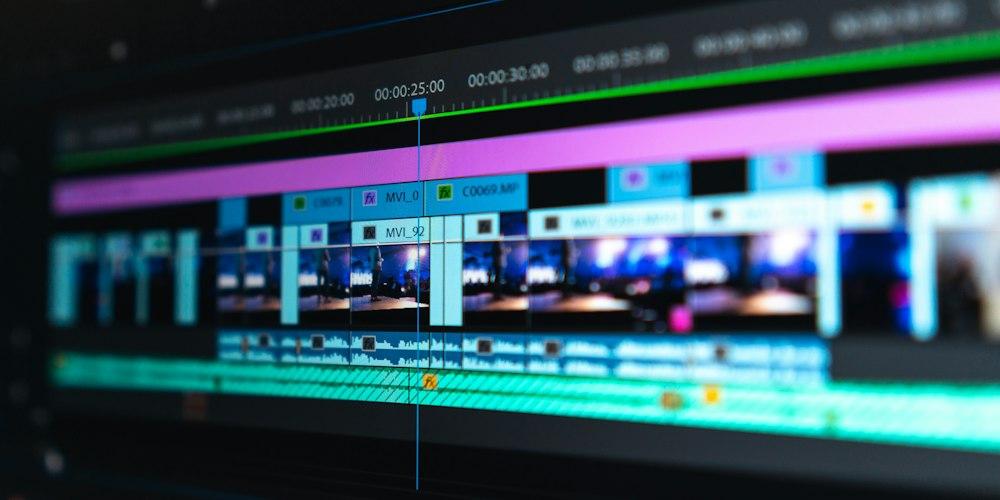
Video teams
Make the missing sound fit the cut.
- Describe timing, material, and distance.
- Compare generated takes beside the edit.
- Put the chosen effect beneath narration.

Marketing teams
Build campaign audio from the brief.
- Generate product sounds and environmental beds.
- Download the selected MP3 for the current edit.
- Carry the effect into a voiceover and music mix.

Training teams
Add cues without slowing narration production.
- Create interface cues, page turns, and answer sounds.
- Review each effect beside the spoken lesson.
- Export the finished audio from one project.

For game teams
Make placeholder audio as quickly as the scene changes — replace it later, or keep it when it works.
- Generate footsteps, impacts, UI cues, and ambience from a prompt.
- Compare four takes and drop one straight into the build.
- Swap in a final version later without changing the workflow.
Finish in the studio
How do you finish the voiceover in the same studio?
Move the generated effect onto the timeline, place it against the spoken line, and mix the levels. Choose from 900+ voices, then export as MP3, a voice-and-music mix, or SRT captions.
Drop it on the timeline
Move the generated effect onto the multi-track timeline alongside your other audio.
Place it against the line
Line the effect up with the spoken line and mix the levels until it sits right.
Add the narration
Choose from 900+ voices for the voiceover, then layer music underneath.
Export anywhere
Save as MP3, a voice-and-music mix, or SRT captions for the final cut.
Cost & limits
What does searching for sound effects cost?
The penalty is easy to miss because it arrives in small pieces: another search, another preview, another subscription, another stakeholder review with placeholder audio. Add those pieces before deciding whether the old workflow is cheaper.
Anonymous use
No account needed
- A set number of files each day
- File size and length limits per file
- MP3 output with no audio watermark
- Commercial rights included
Free account
Save your work & keep going
- Raises your daily generation allowance
- Raises the per-effect length limit
- Saves your work between sessions
- Opens the multi-track editor
Provisional: exact generation counts and length limits are still being confirmed with product and are shown here as general allowances.
FAQ
Questions before you start
Will I get one usable option or one random result?
Each prompt returns four variations, so you can compare takes before choosing. Change one concrete detail and run another generation when the first set misses the brief.
Will I need another editor to finish the job?
A free account saves your work and opens Listen2it's multi-track editor. Put the chosen effect beneath voiceover and music, then export the finished audio in the supported formats.
Can I use the result in paid client work?
Commercial rights apply to free-tool output, including anonymous use, so the sound is cleared for paid client work.
Generate the sound your edit needs
Describe the scene, compare the takes, and download the one that works.